Turn Any Video into Anime in Minutes
Drop in a prompt, photo, or video and let LensGo AI turn it into an anime or cartoon video — free to start, no editing skills needed.


LensGo AI does not support NSFW or sexually explicit content. Uploaded and generated content is subject to automated safety review. Learn more
Key Features of LensGo AI
Pick from 1000 plus built in styles, turn videos into anime, create story clips from text, or remix photos into short anime videos.
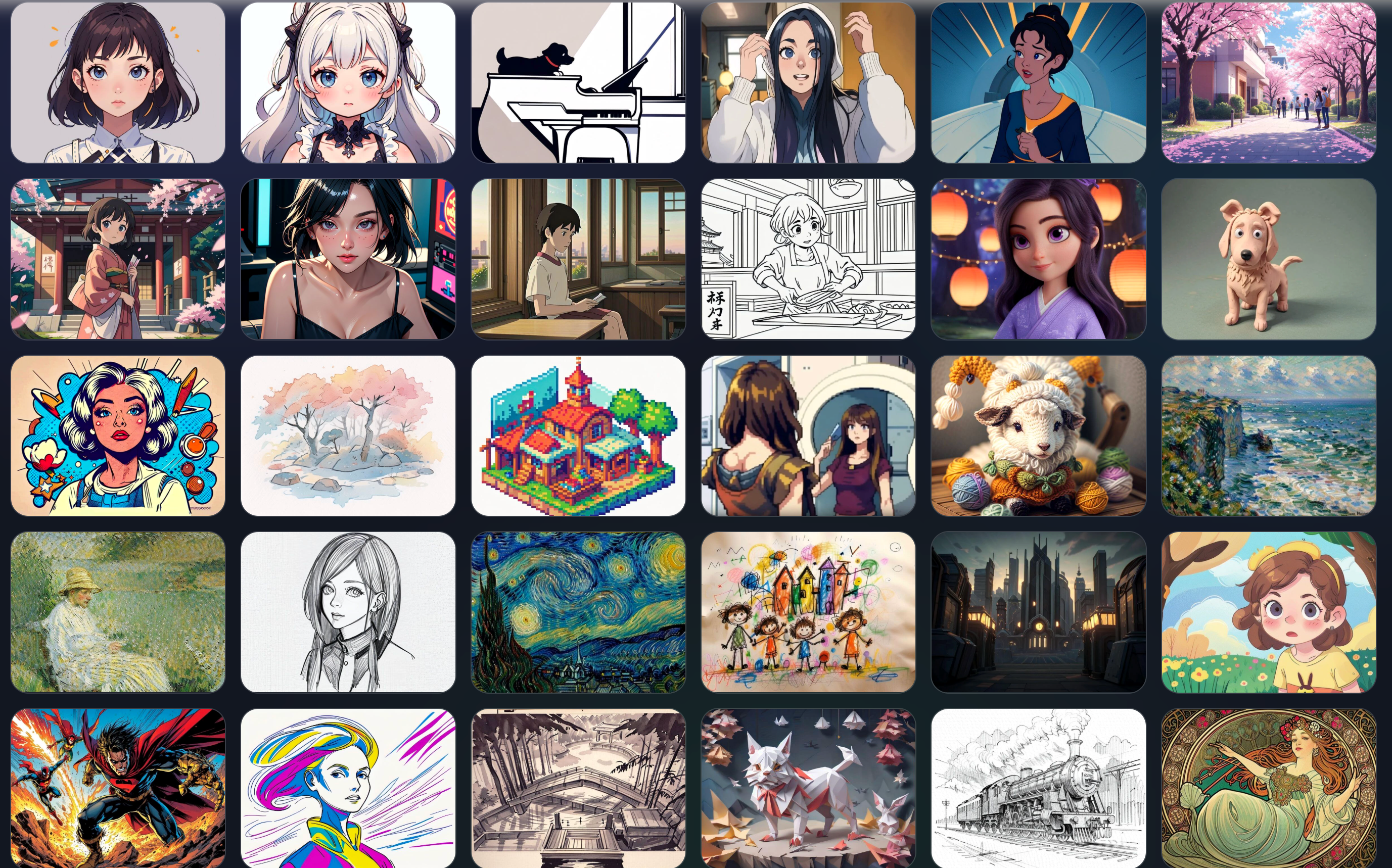
Over 1000 Anime and Cartoon Video Styles
Pick from a rich library of anime and cartoon looks such as slice of life pastel, shonen action, kawaii chibi, Pixar style three D and more. No prompts needed.
Explore now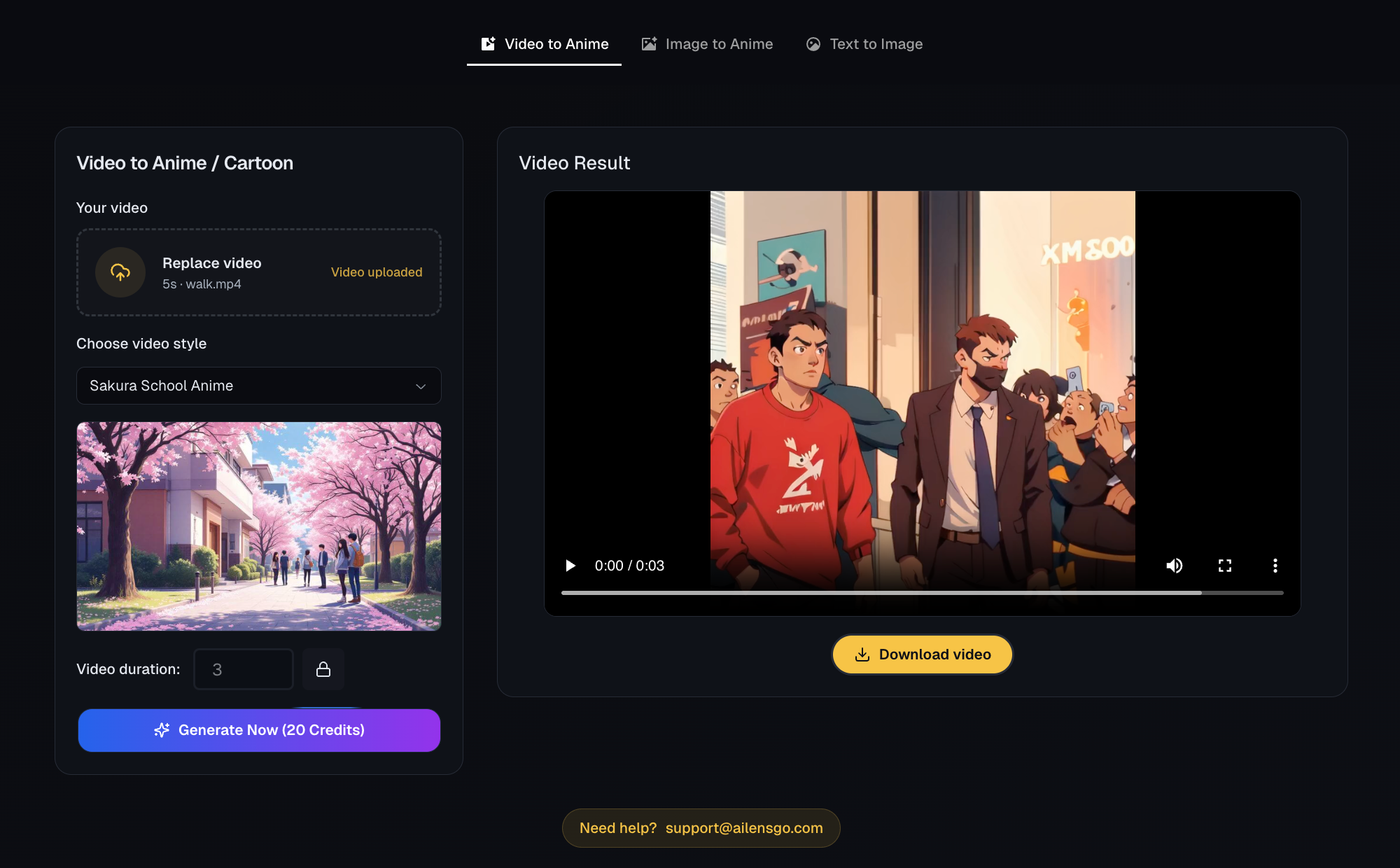
Video to Anime and Cartoon
Turn real world footage into anime or cartoon while keeping your original camera movement, pacing and framing. Only the visual style changes, not the shot.
Explore now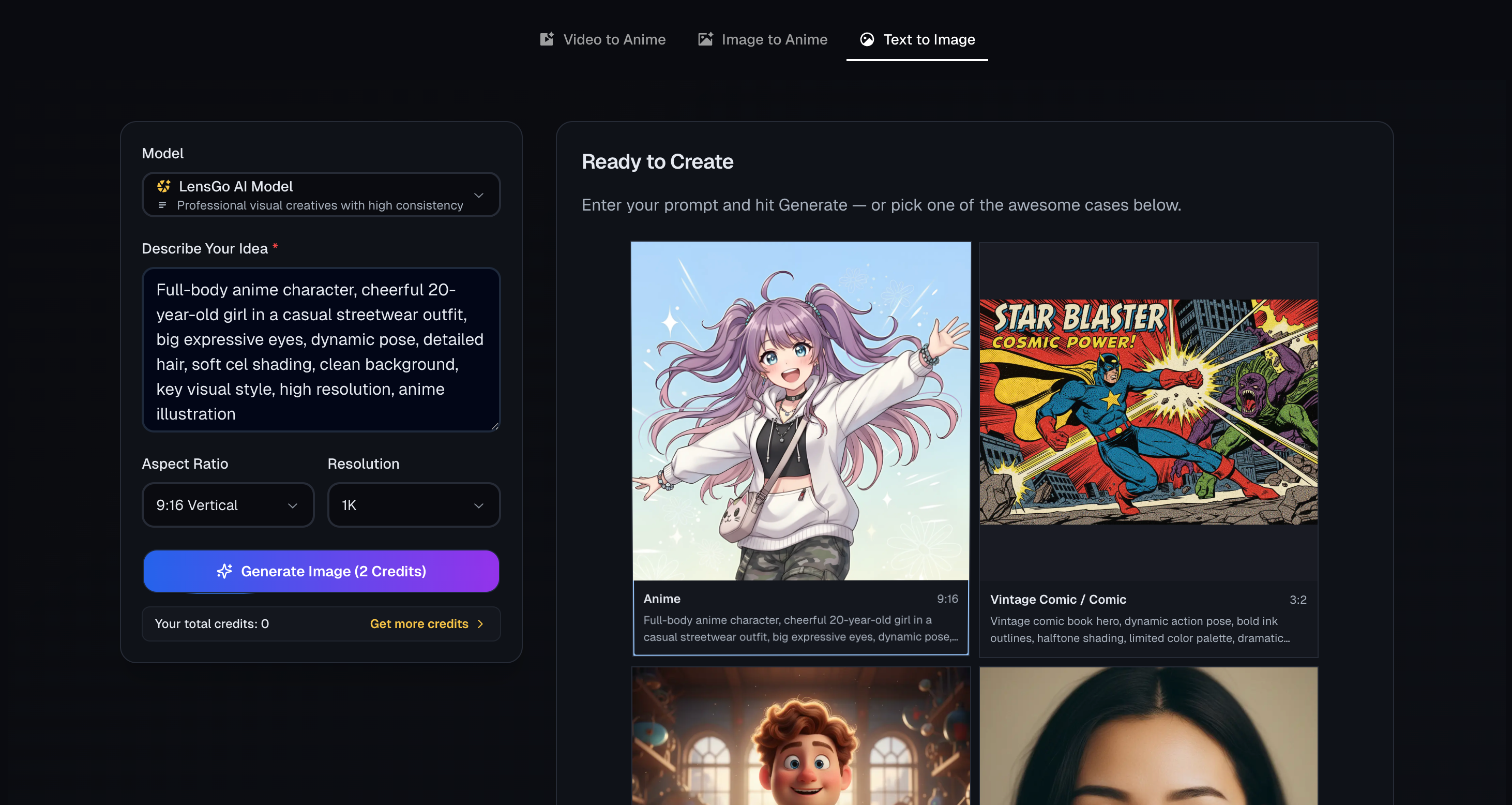
Text to Anime Story Clips
Paste a script or short prompt and get full anime scenes with automatic camera cuts, timing and subtitles tuned for social videos.
Explore now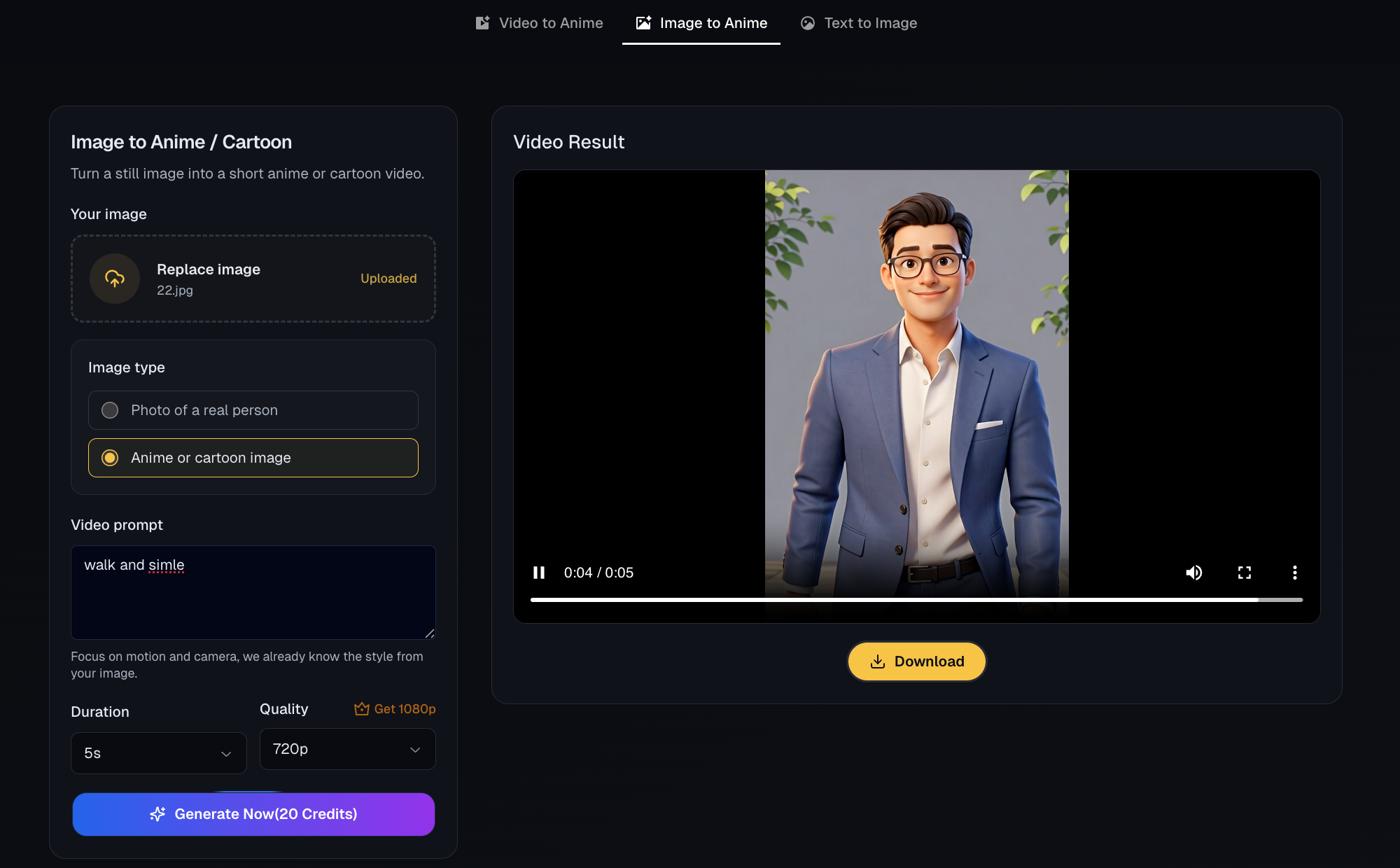
Images and Photos to Anime Clips
Upload selfies, product shots or artwork and generate short anime clips that work great as hooks, avatars, intros or story cut ins.
Explore nowBuilt with Safety in Mind
LensGo AI is designed for responsible creative use. Our platform includes automated moderation, content filtering, and clear usage policies to keep the community safe.
Safe Content Generation
All prompts and outputs are screened by automated safety systems. NSFW, explicit, and harmful content is blocked before generation.
Moderation Safeguards
Uploaded media is reviewed for policy violations including deepfakes, unauthorized likeness use, and copyrighted material.
Commercial-Friendly Boundaries
Clear usage guidelines ensure your AI-generated content is safe for business, social media, and commercial projects.
How Video to Anime Works
Go from ideas, selfies, and raw clips to anime or cartoon videos in just three simple steps.
1. Add your input
Choose Video to Anime, Image to Anime, or Text to Video, then paste a prompt or upload your file.
- Works with text, photos, and short clips
- Gets good results from simple, natural prompts
- Built for creators who post often
2. Select styles and customize
Pick an anime or cartoon style, then set duration, aspect ratio, and quality in a few clicks.
- Anime, cartoon, 3D and art presets ready to use
- Control clip length, format, and output quality
- Keep motion and framing close to the original shot
3. Generate, refine, and export
Hit Generate, check the preview, make quick tweaks if needed, then download your finished video.
- Short clips render fast for rapid iteration
- Easily try multiple styles on the same input
- Outputs sized for Shorts, Reels, TikTok, and more

See Video to Anime in Action
Watch how text, images, and videos are transformed into polished animated content with LensGo AI's creative tools.
Top Use Cases for LensGo AI
See how creators, brands, educators, and studios use LensGo AI to turn simple prompts into high-impact visual content.
Creators & Social Media Influencers
Quickly turn scripts, prompts, and selfies into scroll-stopping shorts, animated clips, and stylized thumbnails with LensGo AI’s text-to-video and image-to-video tools.
Explore use cases
Brands, Marketers & Agencies
Transform product photos and live-action footage into branded, animated explainer videos, ads, and campaign assets in minutes—without a full production crew.
Explore use cases
Game Developers & Creative Studios
Prototype characters, scenes, and animated story moments fast. Use LensGo AI to generate concepts from text, restyle footage, and swap subjects into 3D or anime-inspired looks.
Explore use cases
Educators, Coaches & Online Courses
Bring lessons to life by turning lesson outlines and lectures into visual explainers, animated diagrams, and engaging short videos that help students stay focused.
Explore use cases
Frequently Asked Questions
Find quick answers about how LensGo AI works, what you can create, and what to expect from your AI-powered image and video workflow.
Can't find what you're looking for? Contact at support@ailensgo.com 📮
Partnered with these brands
Start Creating with LensGo AI
Join creators and teams turning simple prompts into scroll-stopping images and videos with LensGo AI. Get started free and see what you can make. Contact at support@ailensgo.com 📮